Java Code Signing Certificates at $215.99
Sign Unlimited Java Apps & JAR Files Using Branded Java Code Signing Certificate
Type
 Money Back
Guarantee
 Lowest Price
Guarantee
Cheapest Code Signing Cert
FIPS 140-2 Compliant Storage
Increase Software Downloads
Decrease Window Warnings
24/7 Sales & Live Support
Existing HSM or External Physical Device
FIPS-compliant Hardware Device
1-5 Days

Do you build mobile and desktop applications using JRE (Java Runtime Environment)? If your answer is yes, then Java Code Signing Certificate is something you should investigate. You may know how essential it's to prove your identity as a genuine software developer to prevent or reduce security warnings and this digital signing certificate offers you the same.
To prove yourself as a genuine Java developer and prevent scary warnings, you'll require to sign your java applications, Java applets or JAR files using a Java Code Signing Certificate offered by respected CAs (Certificate Authorities) like Certera, DigiCert, Sectigo and Comodo.

Compare & Buy Code Signing Certificates

|
|

|
|

|
|
|---|---|---|---|---|---|
| Product Name | Certera Code Signing | Certera EV Code Signing | Sectigo Code SigningFormerly Comodo | Sectigo EV Code SigningFormerly Comodo | DigiCert Code Signing |
| Buy Now | Buy Now | Buy Now | Buy Now | Buy Now | |
| RSA Encryption Key | 3072-bit or 4096-bit | 3072-bit or 4096-bit | 3072-bit or 4096-bit | 3072-bit or 4096-bit | 3072-bit or 4096-bit |
| Issuance for Individual Developers | |||||
| Universal Platform Compatibility | |||||
| Supported File Formats | 32-Bit And 64-Bit | 32-Bit And 64-Bit | 32-Bit And 64-Bit | 32-Bit And 64-Bit | 32-Bit And 64-Bit |
| Issuance Time | 1 to 5 Days | 1 to 5 Days | 1 to 5 Days | 1 to 5 Days | 1 to 5 Days |
| Validation Required | Business/Individual | Full Business Validation | Business/Individual | Full Business Validation | Business |
| Physical USB Token Storage | |||||
| Displays Business Name | |||||
| Display Name & Types of the Business | |||||
| Sign Unlimited Code, Scripts & Executables | |||||
| Separate Private Key Storage | |||||
| Buy Now | Buy Now | Buy Now | Buy Now | Buy Now |
Features and Benefits of Java Code Signing Certificate
Below features and benefits can be expected by using Java Signing Certificate:

Easy to Use
Java Code Signing Certificate offered by DigiCert, Certera, Comodo & Sectigo is easy to use in combination with other software tools of vendors that Java developers may integrate to create macros and objects. For example, Java Code Signing Certificate works seamlessly with Signtool.exe and Microsoft's kernel-mode, making it easier to code sign your Java Applications.

The Authenticity of Your Java Applications/JAR Files
Once someone downloads your Java Application, they'll be sure that the application they've obtained is safe to use, which will help to preserve your business credibility. In addition, Digital IDs provided by Java Code Signing Certificate allows customers to identify who's the author of the digitally signed Java application.

Seamless Integration
Java Software Signing Certificate offered by respected CAs like DigiCert, Comodo, Certera, and Sectigo come equipped with all the specifications mentioned by Microsoft and CA/Browser, which makes it compatible with Windows OS and allows it to run smoothly without creating any issues.

Trusted TimeStamping
TimeStamping is the feature that comes free of cost with all the Java Code Signing Certificate. It allows you to freeze your digital signature along with the date and time. So, your digital signature remains valid even after the Java Signing Certificate expires.

Trust & Confidence
Once you digitally sign your Java applications or JAR files, using the digital signature provided by Java Code Signing Certificate, it ensures that it hasn't been tampered with since its signing. Likewise, it removes unknown publisher warning message that assures users that the Java application they're downloading or installing is coming from the trusted source which helps in bolstering their trust and confidence to use your applications.

Unlimited Signing
Once the Java Code Signing Certificate is issued to you, you'll be allowed to sign an unlimited number of JAR Files and Java applications until your issued Java Signing Certificate validity period is not over.
Why to Code Sign Java .JAR File using Oracle Java Code Signing Certificate?
Nowadays, all the operating system issues unknown publishers or other similar security warning messages if the applications or software is unsigned. Henceforth, it becomes questionable whether to trust or not the software/application user is downloading or installing.


And, by digitally signing your Java Application, Java applets, or JAR files and keeping your digital signature, you'll be able to secure your identity. And, once you sign your Java files/applications, the Java Code Signing certificate will embed the digital signature, which will remove unknown publisher warnings. Likewise, it'll ensure users that the Java application they're about to install is safe and hasn't been tampered with since its signing.
Frequently Asked Questions
What is Java Code Signing?
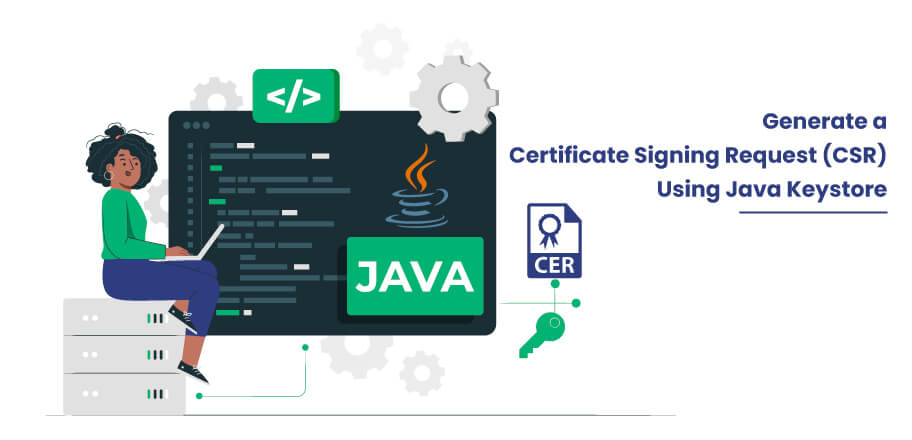
Java code signing is the process to digitally sign Java bytecode, .JAR Files, Applets or Java class files. With the purpose to verify the authenticity of the code and to protect it from tampering. A Java code signing certificate verifies the identity of the software/app publisher and to ensure that the code comes from real source and won't change.
How to Sign Java Files Using Jarsigner?
You can sign your Java files using below mentioned commands:
            jarsigner -tsa http://timestamp.com -keystore

            c:\path\of\keystore.jks -storepass PasswordYouGave

            c:\path\to\your\file.jar AliasYouGave
After signing your file using the above command, go through the below command to verify once whether it's signed correctly:
jarsigner -verify -verbose -certs c:\path\of\your\JavaFile.jar
If your Java application is signed correctly, you'll get an output:
s = signature was verified
Why Choose SignMyCode for Code Signing Solutions?

24/7 Technical and
Sales Support Services

FREE Guides, Tutorials,
and Instruction Manuals

Cheapest Price
in the Market

Smooth Renewal
Process Support

100%
Quality Assurance


Keep Updated about Changes
in Policies & Certificate

Solely Focused Towards
Code Signing Solution
We are rated 4.8/5
 REVIEWS
Real customer ratings and reviews at
REVIEWS
Real customer ratings and reviews at

Five-star service! SignMyCode offers great prices and exceptional support. The support team is very dedicated; they followed up with me every step to ensure my cert was issued without further delays. If you're looking for a hassle-free code signing experience, SignMyCode is the way to go!
Great customer service! Daniel was very helpful throughout the OV validation process, providing clear guidance on each step including D-U-N-S registration and Sectigo verification requirements. Highly recommended for first-time certificate buyers.
I finally got around to installing the new Sectigo EV cert token this afternoon. Everything worked the first time with no fuss. The documentation was spot on, the tools just worked, and Visual Studio saw the certificate immediately. Building, publishing and installing it was just as seamless.
Our Trusted Clients


Live Chat
Talk to our 24/7 code signing experts for issuance, validation, and installation help.

24/7 Ticketing Support
Raise your support and sale ticket, we will answer immediately.

Code Signing Tutorials
Code Signing Tools
Why SignMyCode?
Globally Recognized Certificate Authority (CA)
Quick Validation and Issuance by Pro Code Signing Experts
Technical Troubleshooting in Real-Time
24 x 7 Customer Support via Live Chat & Email


